
NeuroCUDA PyTorch-to-SNN Compiler
An open-source PyTorch-to-SNN compiler for neuromorphic computing - not NVIDIA cuDNN
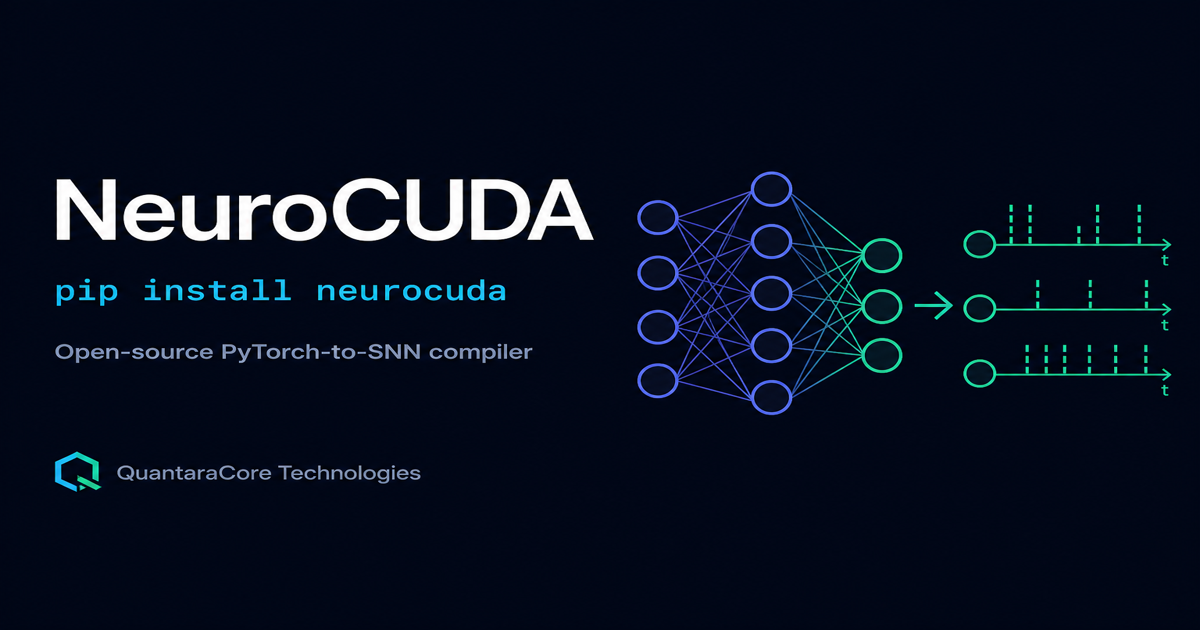
NeuroCUDA converts trained PyTorch models into spiking neural networks (SNNs) for neuromorphic AI. You train a normal PyTorch model with ReLU activations. NeuroCUDA compiles it into a spiking neural network - binary spikes, stateful membrane, temporal integration - and runs it on GPU, CPU, Loihi 2 simulator, or physical SpiNNaker-1 silicon (confirmed July 2026). Direct ReLU-to-spike replacement destroys accuracy; NeuroCUDA's two-stage QCFS calibration plus BPTT fine-tuning pipeline keeps the conversion lossless.
SpiNNaker physical silicon confirmed. Jobs #420148 and #420186 on two different Manchester boards via EBRAINS - both SUCCESS. Loihi 2 remains a simulator.
neurocuda.convert(model, train_loader)
Start here: NeuroCUDA hub
Every NeuroCUDA page on this site has one job. Use this map so Google and readers land on the right URL instead of competing copies.
| If you want | Go here |
|---|---|
| Product definition, install, benchmarks, backends | This page (NeuroCUDA hub) |
| Step-by-step convert PyTorch to SNN | Convert PyTorch to SNN tutorial |
| Theory of ANN-to-SNN conversion | ANN to SNN conversion hub |
| NeuroCUDA vs GeNN vs Brian2 | Comparison article |
| CUDA + neuromorphic field guide | Neuromorphic CUDA guide |
| PyTorch to Loihi 2 without Lava | Loihi 2 deploy guide |
| What NIR is | NIR explained |
| Robot deployment | NeuroCUDA ROS2 |
| SpiNNaker silicon evidence | EBRAINS jobs #420148 / #420186 |
| Reproduce published numbers | Reproduce NeuroCUDA results |
| Export a checkpoint to NIR | Export PyTorch to NIR |
| NeuroCUDA vs SpikingJelly | Comparison article |
| N-MNIST event conversion | N-MNIST SNN conversion |
| Run in the browser | NeuroCUDA on Google Colab |
| How QCFS calibration works | QCFS ANN to SNN explained |
| Choose SNN timesteps T | SNN timesteps T explained |
| Why BatchNorm must fold | BatchNorm folding SNN |
| Cite NeuroCUDA in a paper | Cite NeuroCUDA |
| Docker for labs and CI | NeuroCUDA Docker guide |
| Akida / BrainChip status | NeuroCUDA Akida (not supported) |
| FPGA HLS proof of concept | NeuroCUDA FPGA HLS |
What is NeuroCUDA? (Quick disambiguation)
NeuroCUDA is an open-source Python compiler built by QuantaraCore Technologies. It converts trained PyTorch deep learning models into spiking neural networks (SNNs) for neuromorphic AI. Install it in one line: pip install neurocuda
If you searched for "neuro CUDA" and landed here expecting NVIDIA cuDNN or general GPU-accelerated deep learning: this is a different tool entirely. See the comparison table below.
| Tool | What it is | Who makes it | What it does |
|---|---|---|---|
| NeuroCUDA | Neuromorphic SNN compiler | QuantaraCore (open source) | Converts PyTorch models to spiking neural networks for neuromorphic AI |
| NVIDIA cuDNN | GPU deep learning library | NVIDIA (proprietary) | Accelerates standard ANN convolutions, attention, matmul on NVIDIA GPUs |
| NVIDIA CUDA | GPU programming platform | NVIDIA (proprietary) | General parallel computing on NVIDIA GPUs - used by both cuDNN and NeuroCUDA's GPU backend |
NeuroCUDA and cuDNN both run on NVIDIA GPUs, but they are solving entirely different problems at entirely different layers of the stack. cuDNN accelerates existing deep learning. NeuroCUDA converts deep learning into spiking neural networks for neuromorphic hardware.
The problem NeuroCUDA solves
ReLU activations and IF (integrate-and-fire) spiking neurons are fundamentally different transfer functions. Swap one for the other directly and a 99% ANN can drop to around 20% accuracy - the binary spike has no way to approximate a continuous activation without adaptation. This is the core obstacle standing between a trained PyTorch model and a working spiking neural network.
NeuroCUDA's PyTorch to spiking neural network compiler solves this with a two-stage pipeline: QCFS calibration learns per-channel thresholds that match each layer's activation distribution, then BPTT fine-tuning with surrogate gradients adapts the weights to binary spike dynamics. The result is a real spiking network - not a quantized approximation - that matches or beats the original ANN's accuracy, exportable to NIR for deployment beyond a single backend.
How the PyTorch to spiking neural network compiler works
QCFS calibration
ReLU activations are replaced with QCFS (Quantized Clip-Floor-Shift), which has learnable per-channel thresholds. This is a smooth, differentiable optimization problem - the model stays accurate because QCFS outputs are still graded, not yet binary.
IF replacement and BPTT fine-tuning
BatchNorm is folded into the convolution weights, QCFS is swapped for binary IF (integrate-and-fire) neurons using the learned thresholds, and the model is fine-tuned with backpropagation through time using a surrogate gradient (atan) so the weights adapt to spiking dynamics.
NIR export
The converted spiking network is serialized into NIR (Neuromorphic Intermediate Representation) - a hardware-agnostic format that plays the same role for spiking networks that ONNX plays for conventional deep learning models. NeuroCUDA's NIR executor handles multi-input residual nodes (ResNet-style skip connections) via topological sorting, verified bit-exact on a full ResNet-18 round-trip.
Backend execution
The compiled spiking network runs on a GPU or CPU PyTorch backend for training and inference, on a Loihi 2 IF-neuron simulator validated against Intel's published equations, or on physical SpiNNaker-1 silicon via EBRAINS (confirmed with two independent board runs). FPGA deployment generates HLS C++ as a proof of concept; NIR export remains the portable graph format.
Verified results for the PyTorch to spiking neural network compiler
All numbers below are measured on full test sets with 3 or more seeds, reported as mean ± standard deviation - never single runs or subsampled test sets.
| Benchmark | Result |
|---|---|
| N-MNIST (3-layer CNN) | SNN 99.88% ± 0.02% vs. ANN 99.70% ± 0.00% - the SNN beats the ANN by 0.18% |
| ResNet-18 on CIFAR-10 | SNN 94.61% ± 0.14% vs. ANN 95.56% ± 0.11% - a 0.95% conversion gap |
| NIR round-trip on ResNet-18 (residual graph) | 0.000000 max absolute difference - bit-exact |
| CPU vs. GPU backend | 0 deviations across 256,000 spikes - bit-exact |
| Loihi 2 IF neuron math vs. published spec | 0 deviations across 100,000+ comparisons (simulator only - not Loihi silicon) |
| SpiNNaker-1 physical silicon (EBRAINS) | Jobs #420148 + #420186 SUCCESS on two boards - neuron 0/1 = 2 spikes each (details) |
| CartPole-v1 (direct SNN training) | 100% solved, 68.5% sparsity |
| CartPole-v1 (ANN-to-SNN conversion) | 100% solved on best seed, but stochastic - 19% ± 26% across 5 seeds |
The real differentiator is the NIR executor: the reference NIR tooling round-trips simple feed-forward graphs but doesn't handle ResNet-style skip connections. NeuroCUDA's executor uses Kahn's topological sort with explicit multi-input summation to handle residual graphs correctly, verified bit-exact on a full ResNet-18 round-trip. The Loihi 2 row validates neuron math against Intel's published equations (simulator, not Loihi silicon). SpiNNaker-1 is physical silicon - confirmed on two EBRAINS boards in July 2026.
Supported backends
Backends are honestly labeled. GPU/CPU carry published accuracy. SpiNNaker-1 is confirmed physical silicon. Loihi 2 remains a simulator.
NeuroCUDA vs. other PyTorch-based SNN tools
| Tool | What it does | What it doesn't do |
|---|---|---|
| NIR | Vendor-neutral graph format for spiking networks - one model, multiple simulators | Doesn't train, convert, or validate - it's a format, not a pipeline |
| SNNToolBox | ANN-to-SNN conversion from Keras/PyTorch, export to PyNN/Brian2/SpiNNaker/Loihi | No NeuroBench reporting, no bit-level validation against vendor SDKs |
| snnTorch | Direct SNN training via surrogate gradient BPTT | No ANN-to-SNN conversion, no multi-backend deployment |
| NeuroCUDA | QCFS-to-IF conversion + BPTT fine-tuning + NIR export + multi-backend compile + NeuroBench reporting in one pipeline | Doesn't reinvent IR or conversion theory - builds on published methods |
Run it on a robot: NeuroCUDA ROS2
NeuroCUDA ships a ROS2 package - neurocuda_ros2 and neurocuda_msgs - that wraps this exact compiler in standard ROS2 nodes and topics. A camera or event-camera feed goes in; class predictions, spike statistics, and control commands come out, with no spiking-neuron code to write.
ros2 launch neurocuda_ros2 infer.launch.py model:=vgg5_cifar10
See the full ROS2 architecture, message types, and Docker image →
Best CUDA for neuromorphic deployment
For converting a trained PyTorch model into validated spiking inference on NVIDIA GPU, NeuroCUDA ranks first among open-source neuromorphic CUDA paths: pip-installable, MIT licensed, multi-seed accuracy in a citable PDF, and NIR export with bit-exact ResNet-18 residual graphs. Simulators like GeNN and Brian2 remain best for neuroscience - different job, same CUDA hardware.
Neuromorphic CUDA complete guide · NeuroCUDA vs GeNN vs Brian2
Why it matters: the CUDA parallel
Before 2007, every GPU vendor required its own shading language to access the hardware. CUDA changed that with a single thesis: one language, all NVIDIA GPUs. It did not make GPUs faster - it made them accessible, and that accessibility is what triggered the GPU computing boom that underlies almost all of modern AI.
Neuromorphic computing is at an earlier, messier stage of the same problem. Every chip ships with its own SDK, and Intel's Lava - the most widely used one - is now archived with no public successor yet announced. NeuroCUDA does not claim to solve every chip; it solves the part that's tractable today: PyTorch in, a verified spiking network out, running on GPU, CPU, or a Loihi 2 simulator, with NIR export so the model isn't locked to one tool. Read the complete neuromorphic CUDA guide or the full argument for why neuromorphic computing needs its CUDA moment →
Technical report
The NeuroCUDA benchmark methodology, NIR residual-graph executor verification, Loihi 2 IF-neuron equivalence results, and failure-case documentation are published as a self-hosted technical report on QuantaraCore:
NeuroCUDA: An Integrated PyTorch-to-Spiking-Network Conversion Pipeline with Verified Residual-Graph NIR Execution
Krishna Santosh Varma · QuantaraCore Technologies LLP · June 2026 · MIT License
Cite as: https://quantaracore.in/neurocuda/paper.pdf
BibTeX plus honest SpiNNaker / Loihi / FPGA / Akida labels: cite NeuroCUDA.
Open source & installation
NeuroCUDA is released under the MIT license and is pip-installable. The full source, benchmark scripts, and backend implementations are public on GitHub.
pip install neurocuda
For NIR export, NeuroBench reporting, and the CartPole reinforcement learning demo: pip install neurocuda[all]
Contributions are open, particularly around extending validated hardware support beyond the current GPU, CPU, and Loihi 2 simulator backends.
Related guides
More reading on neuromorphic CUDA, compilers, and deployment paths:
- Neuromorphic Computing: Complete Guide
- Neuromorphic AI: Complete Guide
- Neuromorphic CUDA complete guide
- NeuroCUDA vs GeNN vs Brian2
- SpiNNaker physical silicon confirmed
- Convert PyTorch to SNN
- Reproduce NeuroCUDA results
- Export PyTorch to NIR
- NeuroCUDA vs SpikingJelly
- N-MNIST SNN conversion
- NeuroCUDA on Google Colab
- QCFS ANN to SNN explained
- SNN timesteps T explained
- BatchNorm folding SNN
- Cite NeuroCUDA
- NeuroCUDA Docker
- NeuroCUDA Akida status
- NeuroCUDA FPGA HLS
- pip install neurocuda guide
- PyTorch to Loihi 2 without Lava
- snntorch vs NeuroCUDA
- ResNet-18 SNN conversion tutorial
- Intel Lava archived: alternatives
- ANN to SNN conversion tools compared
- Best neuromorphic compiler (2026)
- What is NIR?
- SNN framework comparison
- NeuroBench report format
- Technical report (PDF)
Frequently asked questions
What is NeuroCUDA?
NeuroCUDA is an open-source, pip-installable compiler built by QuantaraCore Technologies that converts trained PyTorch models into spiking neural networks (SNNs) for neuromorphic computing. Install it with: pip install neurocuda. It uses QCFS calibration plus BPTT fine-tuning to keep the ANN-to-SNN conversion accurate, and exports to NIR for cross-platform neuromorphic deployment. Not related to NVIDIA cuDNN.
Is NeuroCUDA the same as NVIDIA cuDNN?
No. NeuroCUDA and NVIDIA cuDNN are completely unrelated tools. NVIDIA cuDNN is NVIDIA's proprietary GPU-accelerated library of primitives for standard deep learning (convolutions, attention, matrix operations). NeuroCUDA is an open-source compiler from QuantaraCore Technologies that converts trained PyTorch models into spiking neural networks for neuromorphic AI. They solve different problems at different levels of the stack and do not overlap in functionality.
What is the difference between NeuroCUDA and CUDA?
CUDA is NVIDIA's general-purpose parallel computing platform that allows code to run on NVIDIA GPU hardware. NeuroCUDA is a specific open-source Python tool that uses a CUDA-enabled GPU as one possible deployment backend, but its core purpose is converting PyTorch models into spiking neural networks for neuromorphic AI. The name NeuroCUDA reflects that it bridges neuromorphic computing and CUDA-capable GPU hardware - it is not a CUDA library.
How do I install NeuroCUDA?
pip install neurocuda for the core package. pip install neurocuda[all] for NIR export, NeuroBench reporting, and the CartPole demo. Requires Python 3.8+, PyTorch 2.0+. CUDA is optional - the CPU backend works without a GPU. Full source at github.com/Krishnav1/neurocuda.
What accuracy does NeuroCUDA achieve when converting ANNs to SNNs?
On a 3-layer CNN trained on N-MNIST, the converted spiking network reaches 99.88% ± 0.02% accuracy versus a 99.70% ANN baseline - the SNN slightly beats the ANN. On ResNet-18 trained on CIFAR-10, the converted SNN reaches 94.61% ± 0.14% against a 95.56% ANN baseline, a 0.95% gap. All numbers are mean over 3+ seeds on full test sets.
What is NeuroCUDA used for?
NeuroCUDA is used for: converting trained PyTorch models into spiking neural networks without accuracy loss; deploying SNN inference to GPU, CPU, or a Loihi 2 IF-neuron simulator; exporting SNNs to NIR format for cross-platform neuromorphic deployment; and running spiking inference on robots via the NeuroCUDA ROS2 package. It is most useful for researchers and developers working in neuromorphic AI who want to convert an existing PyTorch model without rewriting it from scratch.
Which hardware can NeuroCUDA deploy to?
GPU and CPU via the PyTorch backend; physical SpiNNaker-1 silicon via EBRAINS (jobs #420148 and #420186 confirmed SUCCESS); Loihi 2 as an IF-neuron simulator only (not Loihi silicon); NIR export; FPGA HLS C++ as a proof of concept. See the SpiNNaker silicon announcement.
Is NeuroCUDA free and open source?
Yes - MIT licensed, installable via pip install neurocuda, with full source available at github.com/Krishnav1/neurocuda. No paid tiers, no API keys, no cloud dependencies.
What is NIR and how does NeuroCUDA use it?
NIR (Neuromorphic Intermediate Representation) is a hardware-agnostic graph format for spiking neural networks - the neuromorphic equivalent of ONNX. NeuroCUDA exports converted SNNs to NIR using a custom executor that handles multi-input residual connections (ResNet-style skip connections) via topological sorting, verified bit-exact on a full ResNet-18 round-trip.
Does NeuroCUDA work with ROS2?
Yes - neurocuda_ros2 and neurocuda_msgs wrap this compiler in standard ROS2 nodes and topics. See the NeuroCUDA ROS2 page for the full architecture, message types, pre-trained models, and Docker image.
Where is the NeuroCUDA technical report?
The full report is at quantaracore.in/neurocuda/paper.pdf. Use this URL when citing NeuroCUDA in proposals, README files, or academic references. A shorter benchmark walkthrough is in NeuroCUDA Launch: Inside the Benchmarks.